Friday, December 9, 2016

Lab 7 Reflection Journal

Brian Velazquez                             Lab #7 Filters                                                                   12/01/16


 What we did in this lab was we selected 2 photos and with one of them we copied it 5 times. After that we used different filters for each of the photos to make them look different. The objective of the lab was to have a different filter for each of the photos making them unique. We did this lab by using the filter gallery to find the filters we wanted to use.


 The software we used for the lab was Photoshop CS6. This is relevant to web design because it can change pictures to make them unique and different then other. I see myself using these skills in the future for changing how pictures look and even change things in picture.

Lab 6 Reflection Journal

Brian Velazquez                            Lab #6 Vector Shapes                                                     11/28/16


  In this lab what we did was similar to lab 5 but instead of using colors we decided to use shapes to fill in our drawings. The objective of the lab was to get us acquainted with the shapes and different ways how to use them. We completed this lab by using the shape tool to match the shapes we used in the drawings to fill them in with color and shape. The drawing will be in the right.


The software we used to complete this lab was Photoshop CS6. This is relevant to Web Design because in the future we might use different pictures and need to fill it in with shapes. I see myself using these skills in the future to fill in different images with different shapes.

Lab 5 Reflection Journal

Brian Velazquez                                                                                                                       11/27/16
                                                              Brush Tool Lab

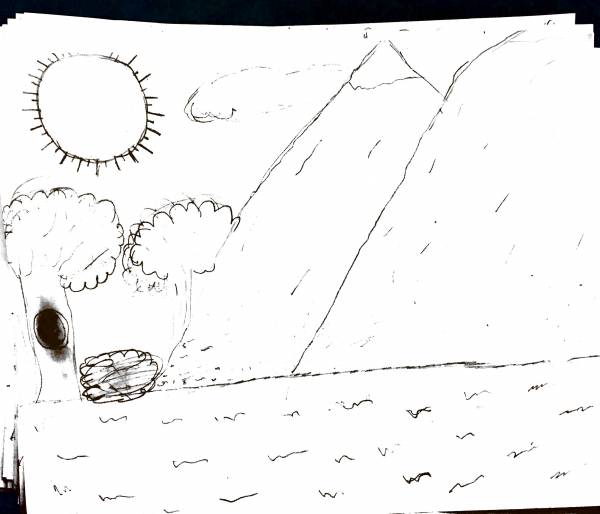
     In this lab what we did first was draw a picture in 10 minutes. After that we had to use photoshop to color our drawings. The objective of this lab is to teach us how to use the brush tool to color in and fill our drawings. We completed this lab by using multiple tools such as the brush tool to color in our drawings and the quick selection tool to keep the color inside the lines to were it belongs.The picture I drew is to the right.

   The software I used was Photoshop CS6. This is relevant to Web Design because we might use the tools we used for lab in future photos we can color and fill it in. I see myself using these skills in the future to make photos look better and mix and match colors.


Sunday, November 20, 2016

Lab 4 Reflection Journal

Brian Velazquez                                                                                                      


     In this lab what we had to do was use the photos that we took on the photography hike with the camera and choose six of those photos to use. The photos we had to choose were are suppose to be a close up, high point, low point, landscape, eye level shot, and camera angle. The objective of the lab is to get us to learn how to use a camera and how to take good pictures and in different angle. I did the lab by going on a hike in flushing meadow park and taking many different pictures and even standing in one place and taking many different pictures of different things.Then choosing out of those photos the 6 I thought were the best for those catergories. And putting them in rows with each other.


    The software I used was Adobe Photoshop CS6. This is relevant to web design because in web design we will be working with many different images. I see myself using these skills in the future when working with different images to do a lab or project.

Project 2 Reflection Journal

Brian Velazquez                                                                                                                 Visual Design
         
                                                        Collage And Lettering Project


   In project 2 what we had to do was find an image of a famous person or a person you admire and
create a collage and silhouette of the person. The objective of the lab was to teach us how to use the mask and how to make a work path. The first thing I did was looking for an image of a person I admire which is to the right,
then I made a selection of the person to create a blur effect on the background. Then I found 8 photos that have a connection to the person himself and organized them in a appealing way which completed the collage. For the silhouette I first typed a sentence about the person then I selected a inverse of the person and created a work path the I pasted the sentence all around the person to finish the silhouette.

  The software I used to do all of this was Adobe Photoshop CS6.  This is relevant to web design because using all these tools including masks, work paths are a big part of web design. I see myself using these skills in the future in other labs and projects that are coming.

Monday, October 31, 2016

Project 1 Warhol Reflection

In Project 1 what we did was took a picture of ourselves and turned it to a warhol portrait such as the picture to the left. The objective of this lab was to help us learn more about the tools we would be using in the future, and also help us figure out which colors go well together. I created this warhol portrait of my self by using many different tools to help me including the quick selection tool, and magic wand tool. We used these tools to select ourselves and put ourselves on a background. After that we added color to the background and ourselves using the paint bucket tool while lowering the saturation.

                                                                                                                                                                        The software I used was Adobe Photoshop CS6. This is relevant to web design because using these tools will help us get more acquainted with them and will allow us to maybe add these changes to different photos. We might use these skills in the future to maybe change a photograph and make it more better.

Thursday, October 27, 2016

Lab 1 Reflection Journal

Lab 1

     In lab 1 we had to use different fruits and cut them out into layers. Using different tools to select them and make them into layer the fruits we used are below.


The objective of this lab was to help use practice and get more use to the tools we will be working with and learning to transform a selection. To select the blueberry, carrot, kiwi, and melon we needed to use the elliptical marquee tool after we selected the fruits we then made a layer for each of them. Then we used the magic wand tool to select the mushroom and orange and made layers out of those. Lastly we used the magnetic lasso tool to finally select the radishes and macaroni. The software we used was Adobe Photoshop.

     This is relevant to web design because when we start to create websites and edit photos we can use these skills to do certain things. Like change an image to the way that it looks more pleasing to look at. I see myself using these skills in the future to edit photographs and change the way its suppose to look like.